One performance
$9.90USD · one time
$9.90 per video
- 1 video credit
- About 15 sec · 720p vertical MP4
- Solo or band cast
- Optional generated sound
- No subscription
Your photo. A very different group chat.
Put yourself on lead. Bring your friends on backing vocals. Turn a regular photo into a very personal desk-side performance.
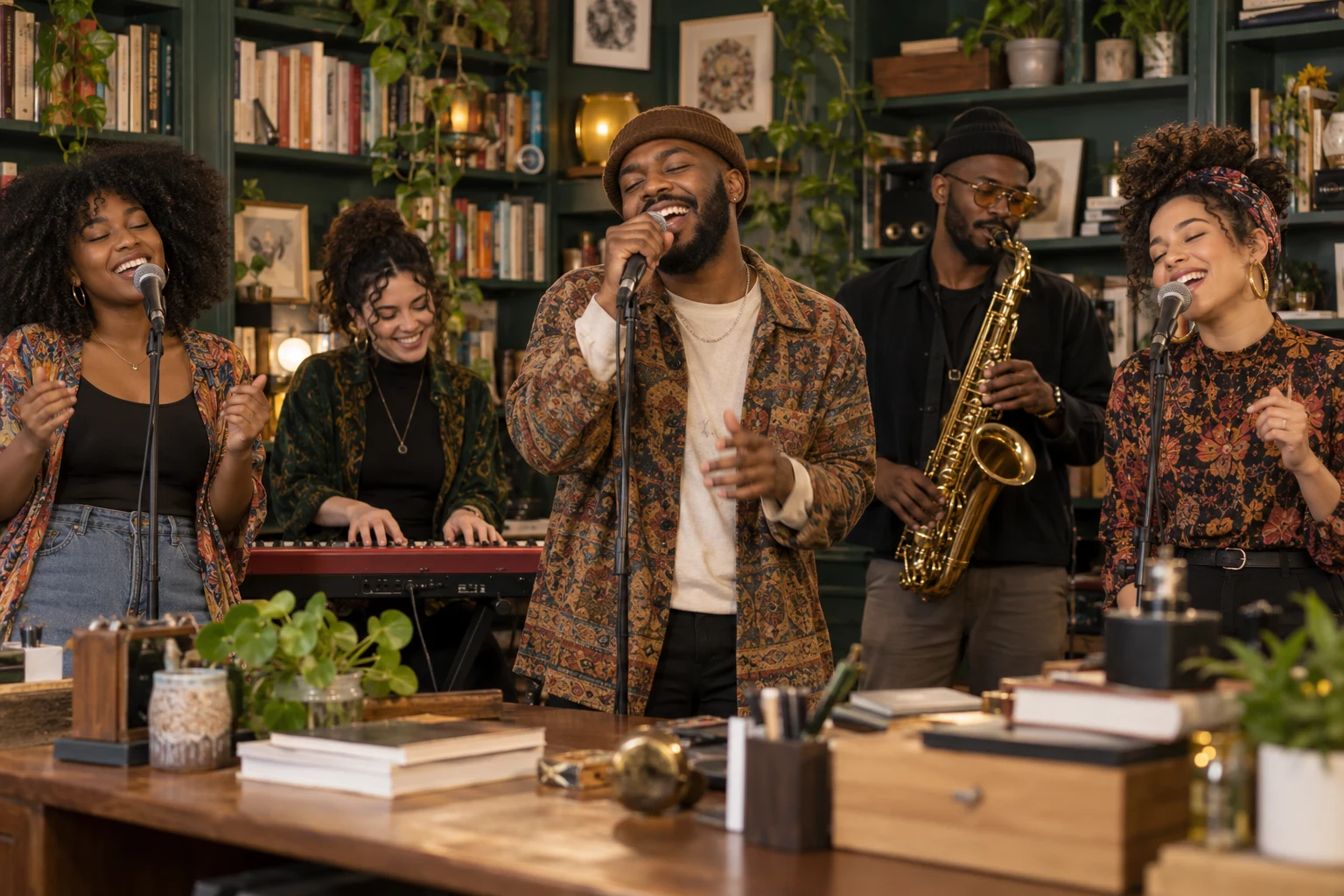
A real generation, with a fictional cast
Watch an actual result from this generator. One synthetic portrait supplied the lead; the model created the other four bandmates and the bookshelf setting.
This is an AI-generated example, not a customer testimonial. Faces and movement can vary between results.
Set up your versionMake the group chat the band
The birthday friend on lead. Your colleague on sax. A family band nobody saw coming. You pick the people; the AI builds a new little concert around them.
See the full walkthroughChoose one clear adult portrait. Add up to four more people to cast the band.
Bookshelves, the office, or after hours. Choose the outfits and whether to add original sound.
Preview your cast and copy a ready-to-use concert brief. Video generation is coming next.
Pick the mood
Every set starts a fresh performance. Your uploaded portraits guide the cast.
Good casting starts here
Use a sharp portrait with even light and visible eyes. Skip sunglasses, heavy filters and distant group photos.
Get your photos readyPreview pricing · purchases closed
Choose a pack when you’re ready. One finished concert uses one video credit, with either cast.
$9.90USD · one time
$9.90 per video
$24.90USD · one time
$8.30 per video
$34.90USD · one time
$6.98 per video
These are proposed launch packs. Checkout stays closed until the generation and payment checks are complete. Failed generations & refunds
It is an AI desk-concert format: your photo becomes a performer in a newly generated, intimate band scene. This independent tool is not affiliated with NPR or the Tiny Desk Concerts series.
No. This generator creates a new performance, with optional original model-generated instrumental audio. It does not reproduce the Outstanding recording, clone an artist’s voice or replace faces in official concert footage.
Start with one clear adult portrait for the lead singer. Choose Band cast to add up to four more people in assigned roles. Unfilled roles are fictional AI musicians.
The configured format is about 15 seconds, 720p, vertical 9:16, delivered as MP4. Choose generated instrumental audio or a silent video. Video generation availability is shown beside the create button.
You can select photos, assign roles, choose your set and copy a concert brief without paying. Preparation stays in your browser. A finished AI video requires sign-in and an available video credit when generation opens.
Resemblance, facial expressions, instruments and movement can vary. AI output is not a guaranteed likeness or an exact recreation of a real performance.
A confirmed failed generation returns its reserved video credit. An uncertain provider response stays under review to avoid starting and charging for another task. A credit return is different from a cash refund.
Prepared photos stay in your browser until you explicitly start generation. Submitted photos are stored privately and sent to APIMODELS to generate your video. Site copies are deleted after a submission receipt. Interrupted uploads enter cleanup after 24 hours. Provider retention is separate; see Privacy.
Completed videos are available in your private account for seven days. Download the MP4 during that period. You can delete a completed result earlier.
We do not grant a blanket commercial or music license. Use photos with permission, check the model provider’s terms and any rights that apply to your intended use, and label your video as AI-generated.
The group chat deserves an encore
Start with a photo. Keep the cast in on the joke.